
Insights & guides
Meta Ads Manager: the 10 best uses for your business in 2026
Meta Ads Manager is the tool behind every Facebook, Instagram, Messenger and WhatsApp ad. In 2026 it is more automated than ever, so the businesses that win are the ones that feed it the right signals, the right creative and an honest way to measure results. Here are the ten uses we see pay off most often, and how to start each one.
What Meta Ads Manager is, in one minute
Meta Ads Manager is the free web and mobile tool where you create, run and measure ads across Facebook, Instagram, Messenger, Audience Network and WhatsApp. You only pay for the ads themselves.
Every campaign is built on three levels:
- Campaign: the objective. Meta offers six: Awareness, Traffic, Engagement, Leads, App promotion and Sales.
- Ad set: who, where, when and how much. Audience, placements, schedule, budget and the conversion location (website, instant form, WhatsApp, call…).
- Ad: what people see. Image, video or carousel, text, headline and call to action.
The "Boost post" button on your Page is a shortcut to a very small part of this. It is fine for a quick push, but it skips most of what makes ads profitable: proper objectives, conversion tracking, testing and clean reporting.
What changed in 2026, and why it matters for small businesses
Three shifts shape how Ads Manager works today.
1. Automation is the default. Meta's Advantage+ options (audience, placements, budget and creative) now switch on by default in most new campaigns. Detailed targeting such as interests mostly acts as a suggestion to the algorithm rather than a hard limit; location and minimum age remain firm controls. You can still turn many of these options off, but you should know when and why.
2. Creative has become the targeting. Meta's ad retrieval system (called Andromeda) picks which ads to show each person largely from the content of the ad itself. In practice, the message, format and visual style of your ad decide who sees it. Ten near-identical versions of the same image no longer help: the system tends to push budget onto one of them and ignore the rest. Several genuinely different concepts give it something to work with.
3. Your data is the fuel. Since browsers and phones limit tracking, Meta relies on the signals you send it: the Meta Pixel on your site, the Conversions API from your server or CRM, and the quality of the customer information you share. A campaign optimised on poor signals optimises for the wrong people.
The consequence: success with Ads Manager in 2026 depends less on clever targeting tricks and more on three things you control: clean tracking, varied creative and honest measurement.
The 10 best uses of Meta Ads Manager for your business
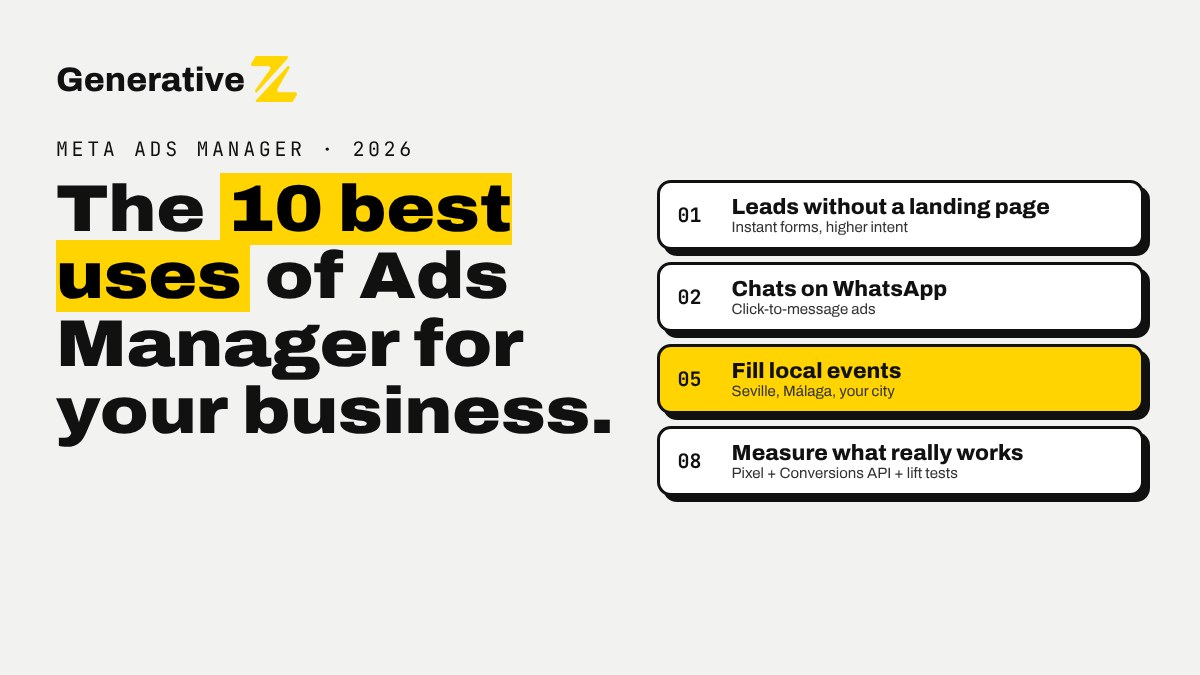
1. Collect qualified leads without building a landing page
Objective: Leads → Instant forms.
Instant forms open inside Facebook or Instagram, pre-filled with the person's details. They are ideal for service businesses: quotes, consultations, viewings, trial classes.
How to make it work:
- Choose the Higher intent form type: it adds a review step before submitting, which cuts down accidental leads.
- Add one or two qualifying questions (budget, timing, city), and use conditional logic to skip irrelevant questions.
- Send every lead straight into your CRM or a spreadsheet and reply within minutes. A lead contacted the next day has often forgotten the form.
Watch out: cost per lead is not the goal. Track how many leads turn into calls, quotes and sales, and feed that back to Meta (see use 8).
2. Start conversations on WhatsApp, Messenger and Instagram
Objective: Engagement or Leads → Messaging apps.
Click-to-message ads open a chat instead of a website. In markets where customers prefer WhatsApp, such as Spain and Tunisia, this is often the most natural first contact. These ads usually bring fewer contacts than a form, but contacts who want to talk.
How to make it work:
- Write a pre-filled first message ("Hi, I'd like the price list for…") so the person only has to tap send.
- Prepare quick replies or an automated first answer, with a human taking over fast.
- Log each conversation in your CRM so you can measure which ads produced customers, not only chats.
3. Sell products online with Advantage+ sales campaigns
Objective: Sales.
For e-commerce, the Sales objective with Advantage+ settings and a product catalog lets Meta show each person the products they are most likely to buy. Meta reports lower costs per action for Advantage+ sales campaigns in its own studies; treat platform claims as a starting hypothesis and verify with your own numbers.
How to make it work:
- Connect a clean product catalog (titles, prices, stock, good images).
- Set up the Pixel and the Conversions API for purchase events, with deduplication.
- Check how much of the spend goes to existing customers. Automated campaigns can lean on people who would have bought anyway, which flatters the in-platform ROAS. Use the existing-customer settings to report on or cap this.
4. Bring back people who already know you (retargeting)
Objective: Sales or Leads, with custom audiences.
Most people do not buy on the first visit. Custom audiences let you reach website visitors, video viewers, Instagram engagers, people who opened a form without sending it, or your customer list.
Good retargeting audiences for small businesses:
- visited the pricing or booking page in the last 30 days, but did not convert;
- watched at least half of a video in the last 60 days;
- opened your instant form but did not submit.
Show them something new: an answer to a common objection, a testimonial, a deadline. Not the same ad they already ignored.
5. Fill local events, workshops and shop visits
Objective: Leads, Sales or Awareness, with location targeting.
For anything that happens in one place (a workshop, an open day, a restaurant, a clinic) you can target a city or a radius around an address. Combine it with a clear date, a limited number of places and a simple registration step.
How to make it work:
- Start the campaign three to four weeks before the event, with a reminder push in the final week.
- Use the venue, the city and real people in the creative: local proof beats stock images.
- Track registrations as a conversion, and measure attendance afterwards, not just sign-ups.
6. Test offers and messages before you invest more
Tool: Experiments → A/B test.
Ads Manager's A/B test splits your audience so each version is shown to different people, which gives you a cleaner comparison than duplicating ads by hand. Use it for questions that change the business, not the colour of a button:
- price shown versus "from €…";
- free consultation versus downloadable guide;
- founder video versus customer testimonial.
Run one question at a time, give it enough budget and time to reach a clear result, and write down what you learned.
7. Produce more creative variety with AI, with a human check
Tool: Advantage+ creative and Meta's generative AI features.
Since creative now drives delivery, you need more varied ads than most small teams can produce. Meta's built-in AI can generate background variations, expand images to new formats, add text variations and create short videos from still images.
How to make it work:
- Keep the ideas human: the offer, the angle, the proof. Let AI help with versions and formats.
- Review every AI variation before it goes live. Check text, product accuracy and brand tone, and turn off any enhancement you are not comfortable with.
- Aim for distinct concepts (problem/solution, testimonial, demo, behind the scenes, offer) in several formats (square or 4:5 for feeds, 9:16 for Stories and Reels).
8. Measure what really works: Pixel, Conversions API and lift tests
Tools: Events Manager, Conversions API, Experiments.
Ads Manager is only as accurate as the data you give it. Three steps make the difference:
- Pixel + Conversions API, sending the same events from your website and your server, with a shared event ID so Meta can remove duplicates. Check the Event Match Quality score in Events Manager and improve it by sending more customer information (with consent).
- Offline and CRM events: send "qualified lead" or "customer" events back to Meta, so it can optimise for people who buy, not people who fill forms.
- Incrementality: where eligible, a Conversion Lift study compares people who saw your ads with a holdout group who did not. It answers the only question that matters: what did the ads add?
Remember that Meta changed several attribution and reporting rules in 2025–2026. When your numbers move suddenly, check whether the business changed or only the counting.
9. Learn from the market with the Ad Library
Tool: Meta Ad Library (free, public).
The Ad Library shows the active ads of any Page. For ads shown in the European Union, it goes further under the Digital Services Act: past ads stay visible, with information on reach and targeting. It is one of the best free market research tools available:
- see which offers and formats your competitors keep running for months (a long-running ad is usually a profitable one);
- collect hooks, objections and price points in your sector;
- check how other brands present the same service in different languages.
Use it for inspiration and positioning, never to copy someone else's creative.
10. Automate the routine: rules, reports and alerts
Tools: Automated rules, scheduled reports, Marketing API.
Ads Manager can already act on simple rules, for example pause an ad whose cost per result goes above a limit, or send you a notification when daily spend passes a threshold. You can also schedule reports by email.
For more, connect your ad account to an automation tool such as n8n:
- every new lead goes into your CRM and gets a reply in minutes;
- a weekly report lands in your inbox with spend, leads and cost per qualified lead, pulled from Meta and your CRM;
- an alert warns you when results drop, before the budget is gone.
Keep a human decision on anything that changes budgets or creative: automation should warn and prepare, you decide.
Five mistakes we see every week
- Only using "Boost post". No proper objective, no conversion tracking, no testing.
- Optimising for the cheapest result. Cheap clicks and cheap leads often come from the least interested people.
- Too many small ad sets. Budget spread thin means no ad set gets enough data to learn. Fewer, bigger ad sets usually work better.
- Editing every day. Significant edits restart the learning phase. Decide on a review rhythm and stick to it.
- No follow-up system. Ads bring the contact; your reply speed and your process close the sale.
Where to start this week
- Check that your Business Portfolio, ad account, Page and Instagram account are connected, with two-factor authentication on.
- Install the Meta Pixel and set up the Conversions API for your key event (lead, booking or purchase).
- Pick one of the ten uses above that matches your main goal.
- Prepare three to five genuinely different ads.
- Launch with a budget you can hold for two to four weeks, and review weekly, not daily.
Want help setting it up?
At Generative Z we train teams in Seville, Málaga and online to connect their ads, CRM and follow-ups with n8n and AI, so every lead gets an answer and every euro spent is measured. See our training or talk to us about your project.
Generative Z is independent of Meta. Feature names and availability can change; check your own Ads Manager account before you launch.